Can I edit video with Claude Code?+
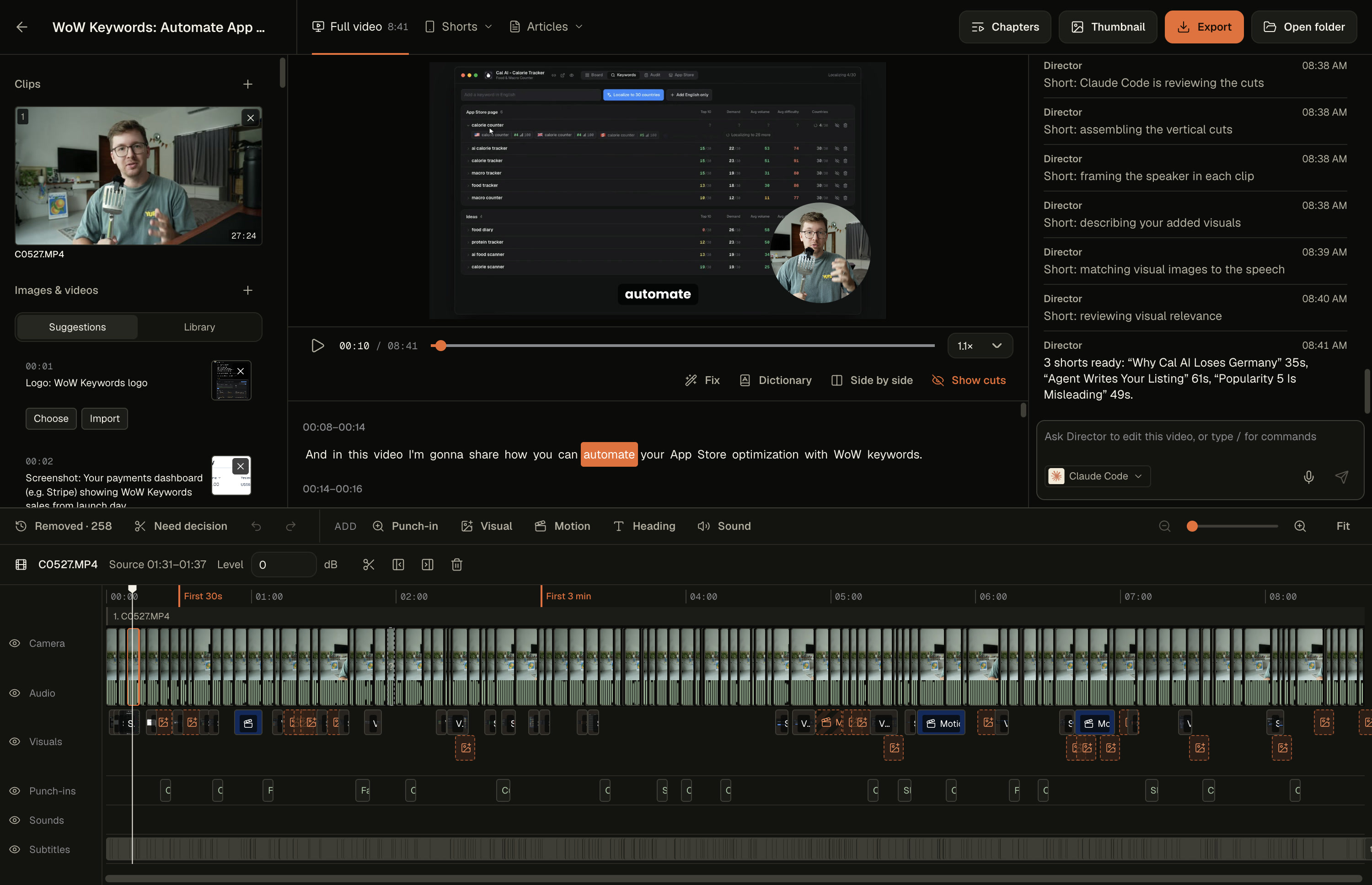
Yes. In ClipsPal, open Settings → AI provider, choose Claude Code, connect it and click Check again. The AI edit and your Director requests then run on your Claude Code account. Nothing is billed per video.
What does ClipsPal send to Claude Code?+
The transcript and your request. Tasks that inspect reference images or visual media can send that material too. Your video and audio are never uploaded.
Is ClipsPal made by Anthropic?+
No. ClipsPal is an independent app. It uses the Claude Code you already have.
Can I use Codex, OpenCode or a local model instead?+
Yes. Pick Codex, OpenCode, Gemini, Cursor, Grok or the free local model, which needs no account, in the same setting. See the local AI video editor page, or download ClipsPal to try it. Pricing is a one-time payment.
Which AI do I need?+
Any one of these: Claude Code with a Claude Pro or Max plan, Codex with a ChatGPT plan, OpenCode with any provider you connect, Gemini with a Google account, Cursor with a Cursor account, Grok with SuperGrok or X Premium+, or a free local model ClipsPal downloads for you. Nothing is billed per video.
Does my footage get uploaded?+
No. Video and audio stay on your computer, and so does transcription. Only the transcript goes to the AI you picked. With the local model, nothing leaves your computer.
What are motion slides?+
Animated slides the AI designs for the words you select.
Can my AI agent use ClipsPal?+
Yes. ClipsPal includes an MCP server. Claude Code, Codex, OpenCode, Cursor, Grok, Claude Desktop, Windsurf or any MCP client can open your videos, cut them, make shorts, chapters and articles, and export. Add it from Settings → Integrations.
Which languages does it understand?+
40 spoken languages, including English, Spanish, Hindi, Portuguese, French, German, Japanese, Chinese, Korean and Arabic.
 ClipsPal