
The TikTok video editor
for talking-head videos.

Drop in the takes you recorded. ClipsPal cuts the failed takes, silences and filler on your computer, adds subtitles and zoom-ins, and turns long videos into shorts.

  • Tight cuts in one click

    Failed takes, silences and filler words are cut for you.

  • Subtitles and zoom-ins added

    The edit comes with subtitles, zoom-ins, visuals and sound effects.

  • One long video, several shorts

    Turn a finished video into vertical shorts and upload them to TikTok yourself.

01Auto edit for TikTok

Raw takes become a tight video in one click.

ClipsPal cuts failed takes, silences and filler words, then adds zoom-ins, subtitles, visuals and sound effects.

Failed takes and silences

Raw · 0:14

We just added two amazing features that were requested by many customers.

failed takeFirst one, you can localize prices.

First is pricing localization and secondly is Android support.

In the whole video: 38 failed takes and 111 silences cut, 15:35 of footage → 5:40.

Zoom-ins

·
Zoom inSlow zoom

Subtitles

Visuals

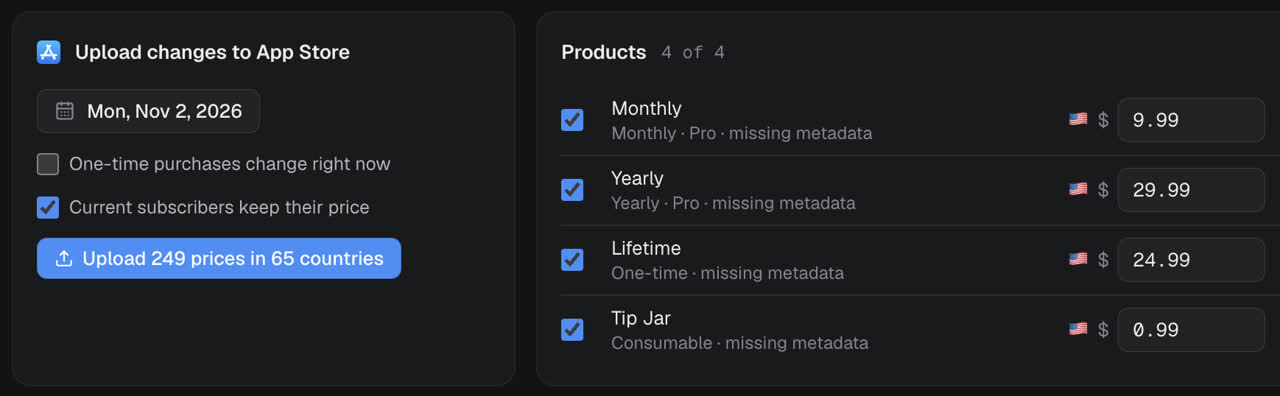
Wow Keywords pricing screen placed over the camera
02Shorts for TikTok

Turn one long video into shorts for TikTok.

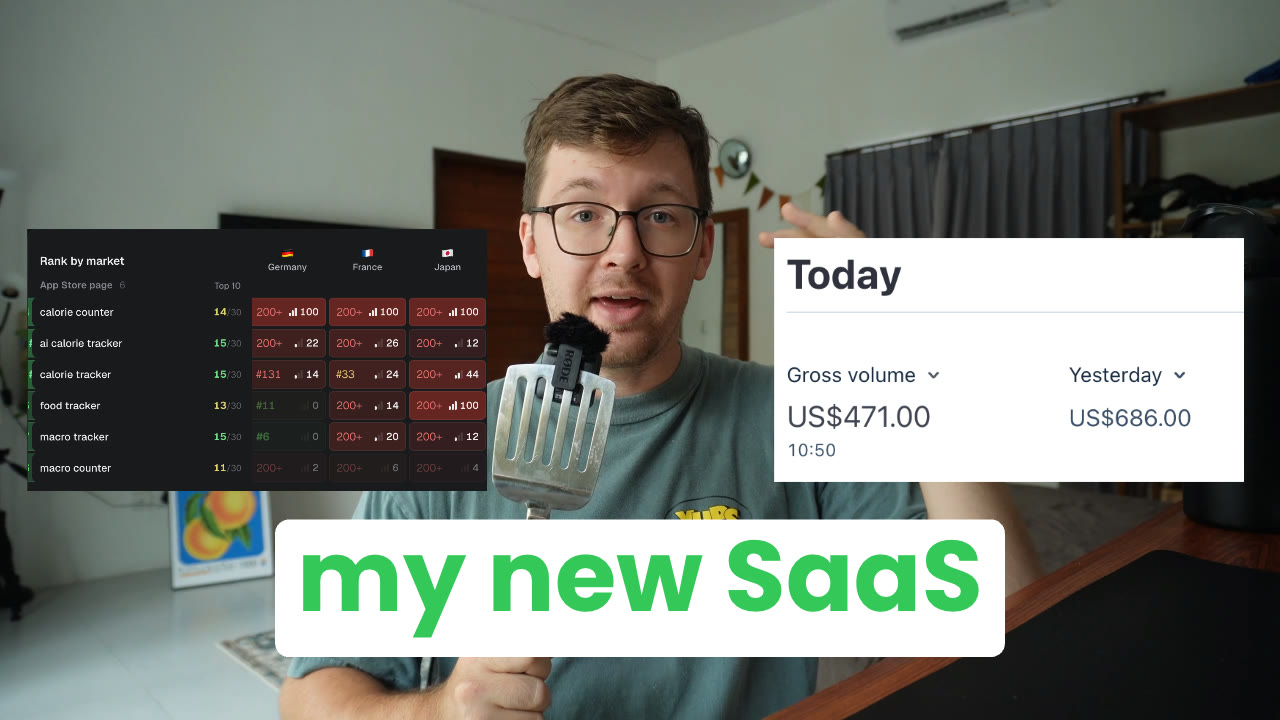
Thumbnail of the full Wow Keywords launch video
Wow Keywords launch video
Full video · 8:41 → 3 shorts
Why Cal AI loses Germany 0:35
Agent writes your listing 1:01
Popularity 5 is misleading 0:49

Article

i am sorry, but paywall IS NOT your problem

My paywall makes $4,000+ a month across my apps.

Some apps have 5% conversion. Others have 10%.

Niche + pricing >> paywall design.
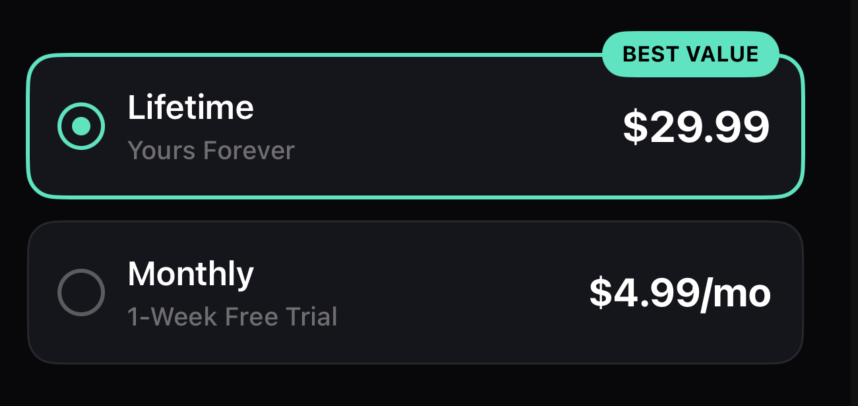
Paywall offering lifetime access for $29.99 or a monthly plan for $4.99 with a one-week free trial

I want to sell lifetime access: people pay once, and I get the money up front.

Monthly gives people another way in if they aren't ready for that purchase.
03Motion slides

Motion slides that keep your audience engaged.

Transcript
04Real editor

Then finish each video your way.

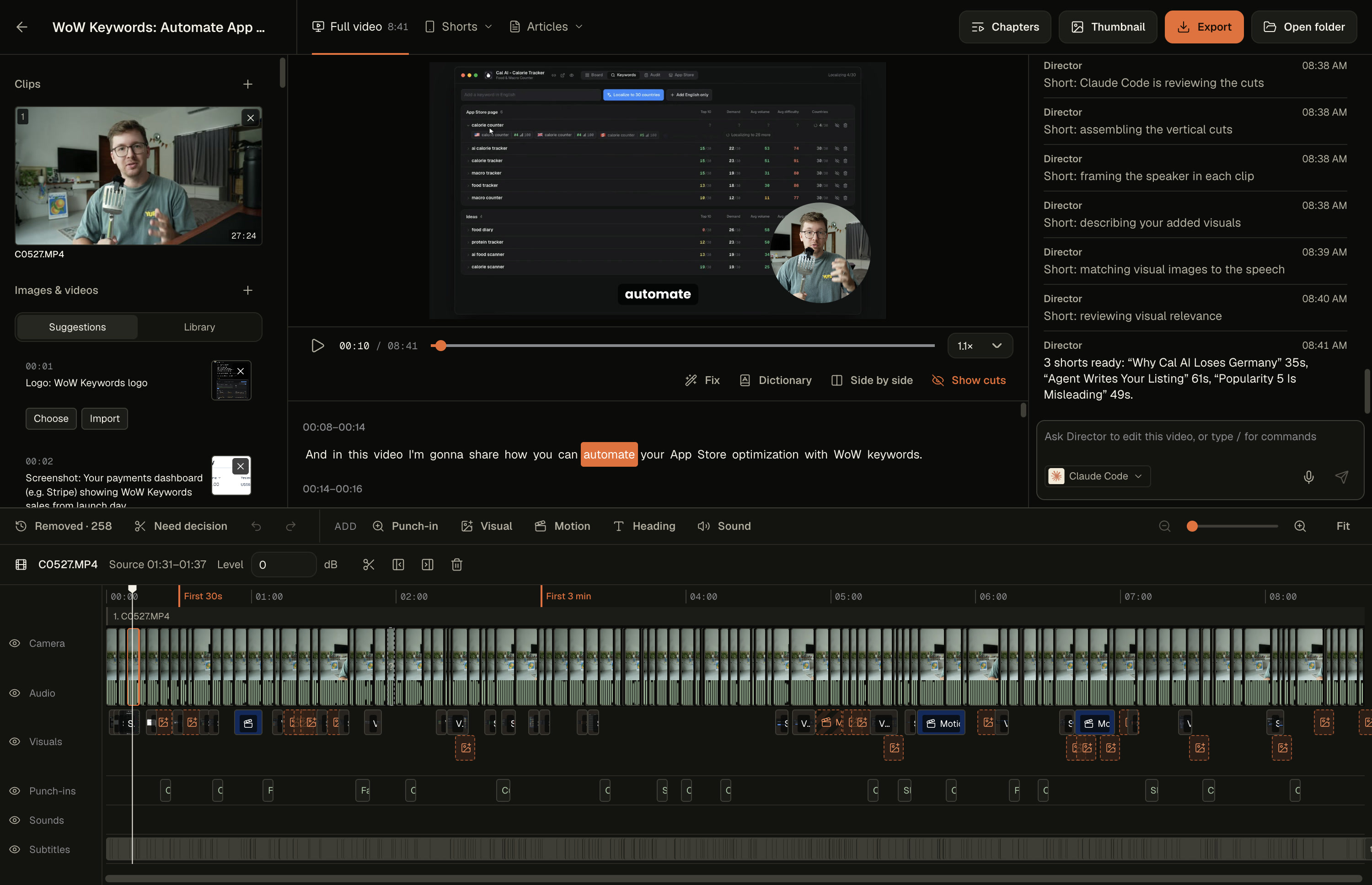
The ClipsPal editor with a launch video open: clips, visual suggestions, preview with subtitles, transcript, Director and a multi-track timeline

Finish it yourself.

  • ✓Drag, trim and split every clip
  • ✓Restore any cut. Every edit can be undone
  • ✓Add zoom-ins, visuals, motion slides, headings and sounds
  • ✓Fix words in the transcript and subtitles
  • ✓Make thumbnails, chapters and articles
  • ✓Export MP4 with subtitles and SRT

Drag and trim, or ask Director.

Director

No second subscription.

ClipsPal runs on the AI account you already have: Claude Code, Codex, OpenCode, Gemini, Cursor or Grok, or a free local model. Only the transcript is sent to the AI.

  • Claude Code
  • Codex
  • OpenCode
  • Gemini
  • Cursor
  • Grok
  • Local model

Your footage stays on your computer.

  • ✓Video and audio never leave your computer
  • ✓Transcription runs on your computer
  • ✓Only the transcript goes to your AI
  • ✓Pick the local model and nothing leaves

Keep the editor you know.

Open the edit as a timeline in

  • Premiere Pro
  • DaVinci Resolve

Get lifetime access.
Edit your videos in minutes.

$59once

Lifetime access. No subscription.

$59
$49$99

15 licenses left at $59. Then $69.

Up $10 every 20 licenses.

Trusted by 25 creators

Everything in ClipsPal

  • One-click auto edit
  • Cuts failed takes and silences
  • Subtitles in 40 languages
  • Zoom-ins, visuals and sounds
  • Motion slides
  • Record voice or screen
  • Director: edit by asking
  • Articles from your video
  • YouTube chapters
  • Thumbnail editor
  • MCP for your AI agents
  • Shorts forTikTokInstagram ReelsYouTube Shorts
  • Export toPremiere ProDaVinci Resolve
Updates forever2 computers per license14-day refundRuns on Claude CodeCodexOpenCodeGeminiCursorGrokLocal model
Get instant access

Pay securely throughStripe

Questions

AI and privacy

How does ClipsPal edit a TikTok video?+

It transcribes your clips on your computer and sends the transcript to the AI you picked. The AI decides which takes to keep and what to cut, and ClipsPal builds the edit on your computer. The video and audio are never uploaded.

Which AI do I need?+

Any one of these: Claude Code with a Claude Pro or Max plan, Codex with a ChatGPT plan, OpenCode with any provider you connect, Gemini with a Google account, Cursor with a Cursor account, Grok with SuperGrok or X Premium+, or a free local model ClipsPal downloads for you. Nothing is billed per video.

Does my footage get uploaded?+

No. Video and audio stay on your computer, and so does transcription. Only the transcript goes to the AI you picked. With the local model, nothing leaves your computer.

What are motion slides?+

Animated slides the AI designs for the words you select.

Can my AI agent use ClipsPal?+

Yes. ClipsPal includes an MCP server. Claude Code, Codex, OpenCode, Cursor, Grok, Claude Desktop, Windsurf or any MCP client can open your videos, cut them, make shorts, chapters and articles, and export. Add it from Settings → Integrations.

Which languages does it understand?+

40 spoken languages, including English, Spanish, Hindi, Portuguese, French, German, Japanese, Chinese, Korean and Arabic.

Your computer

Can ClipsPal post to TikTok for me?+

No. ClipsPal exports the video to your computer and you upload it to TikTok yourself.

Can I turn a YouTube video into TikToks?+

ClipsPal works with video files on your computer, not links. Drop in the recording, edit it, and turn the finished video into shorts. The YouTube video editor page covers the long video.

Is there an online TikTok video editor?+

No. ClipsPal is a desktop app for Mac and Windows and there is no browser editor. Download ClipsPal to try it.

What computer do I need?+

macOS 14 or later on a Mac with Apple Silicon or Intel, or Windows 11 on an Intel or AMD x64 computer. Windows is an unsigned beta; check the download page for availability.

What differs on Intel Macs?+

Everything works, including screen and camera recording and background removal. Transcription uses the same local Whisper model as Windows, downloaded once on first use, with lower accuracy than on Apple Silicon.

What differs on Windows?+

Import, edit, export, AI editing and local voice input are included. Windows bundles a local Whisper model, with lower transcription accuracy than Mac. No model download is needed on first run. Native screen and camera recording and background removal are Mac-only. The Windows beta is unsigned and may trigger SmartScreen.

Can I record my screen?+

Yes, on Mac: your screen with your camera in the corner, or just your voice. On Windows, import files or record audio.

What kind of videos is it for?+

Talking-head videos: YouTube, courses, founder updates, product walkthroughs. Anything you record in several takes.

How many computers can I use?+

2. Move the license from Settings anytime.

Buying

Is the TikTok video editor free?+

The download is free and the local AI model costs nothing to run. Editing needs a ClipsPal license, which is a one-time payment. See pricing, or write your next video with the free TikTok script generator.

Can I download it before buying?+

Yes. Download ClipsPal anytime; editing starts once you enter a license.

Is it a subscription?+

No. It’s a one-time payment for lifetime access to ClipsPal. Your version is yours to keep, with updates forever included.

Is there a trial?+

No. You can get a refund within 14 days of purchase: email [email protected].

Are future updates included?+

Yes. Your license includes updates forever.

Can I finish the edit in another app?+

Yes. Export the timeline to Premiere Pro or DaVinci Resolve.