The YouTube Shorts maker
for videos you already recorded.

Drop a talking-head recording into ClipsPal on your Mac. It edits the video, then turns the finished video into vertical shorts.

macOS 14+ · Apple Silicon

activationpal promo21:31 → 8:52
Waiting for clips
Transcript
Camera
Visuals
Zoom-ins
Sounds
Subtitles
  • Start from your recording

    Drop in the video file or the raw takes. ClipsPal works with footage on your Mac, not links.

  • Edited before it is cut down

    Failed takes, silences and filler words come out. Zoom-ins, subtitles and sound effects go in.

  • One video, several Shorts

    Turn the finished video into vertical shorts and upload them to YouTube yourself.

01YouTube Shorts

Turn one YouTube video into Shorts.

The full 8:52 ActivationPal promo
Full video · 8:52

Shorts

Your $26 sale isn't $26
Cohorts prove changes work

Article

i am sorry, but paywall IS NOT your problem

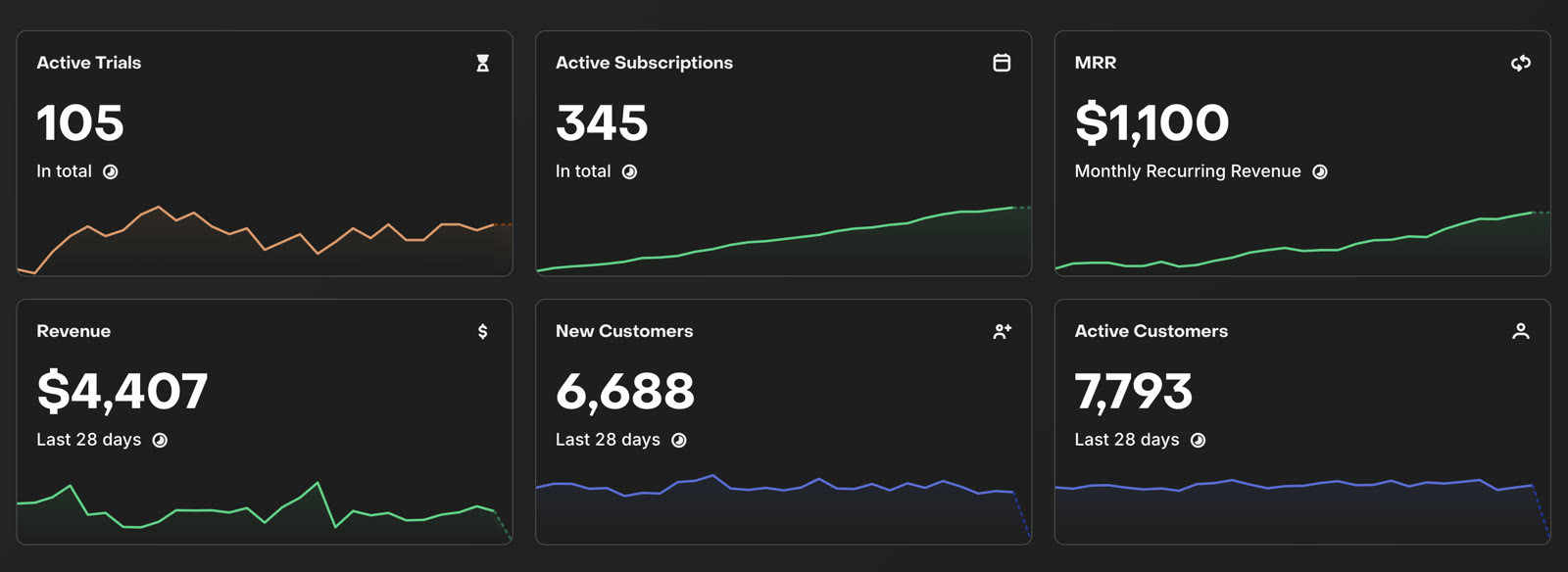
My paywall makes $4,000+ a month across my apps.

Some apps have 5% conversion. Others have 10%.

Niche + pricing >> paywall design.
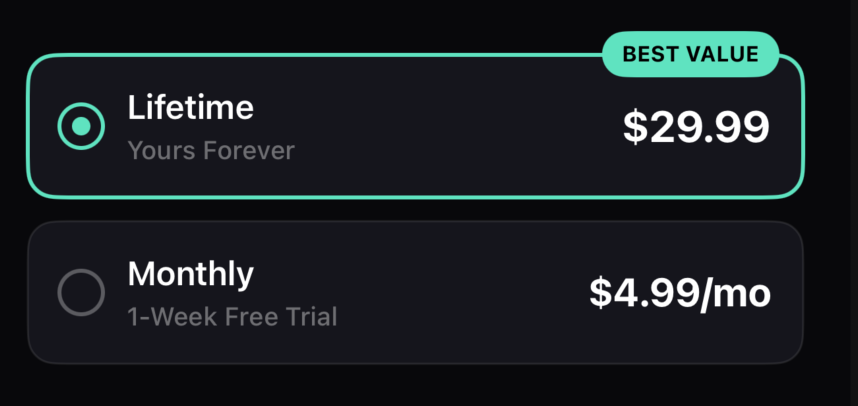
Paywall offering lifetime access for $29.99 or a monthly plan for $4.99 with a one-week free trial

I want to sell lifetime access: people pay once, and I get the money up front.

Monthly gives people another way in if they aren't ready for that purchase.
02Auto edit

The long video gets edited first, in one click.

ClipsPal cuts failed takes, silences and filler words, then adds zoom-ins, subtitles, visuals and sound effects.

Zoom-ins

·
Fast zoomCut inSlow zoom

Subtitles

Visuals

RevenueCat dashboard placed over the camera

Sound effects

·
VisualsSounds
TapSoft whooshPop
03Real editor

Then finish the video your way.

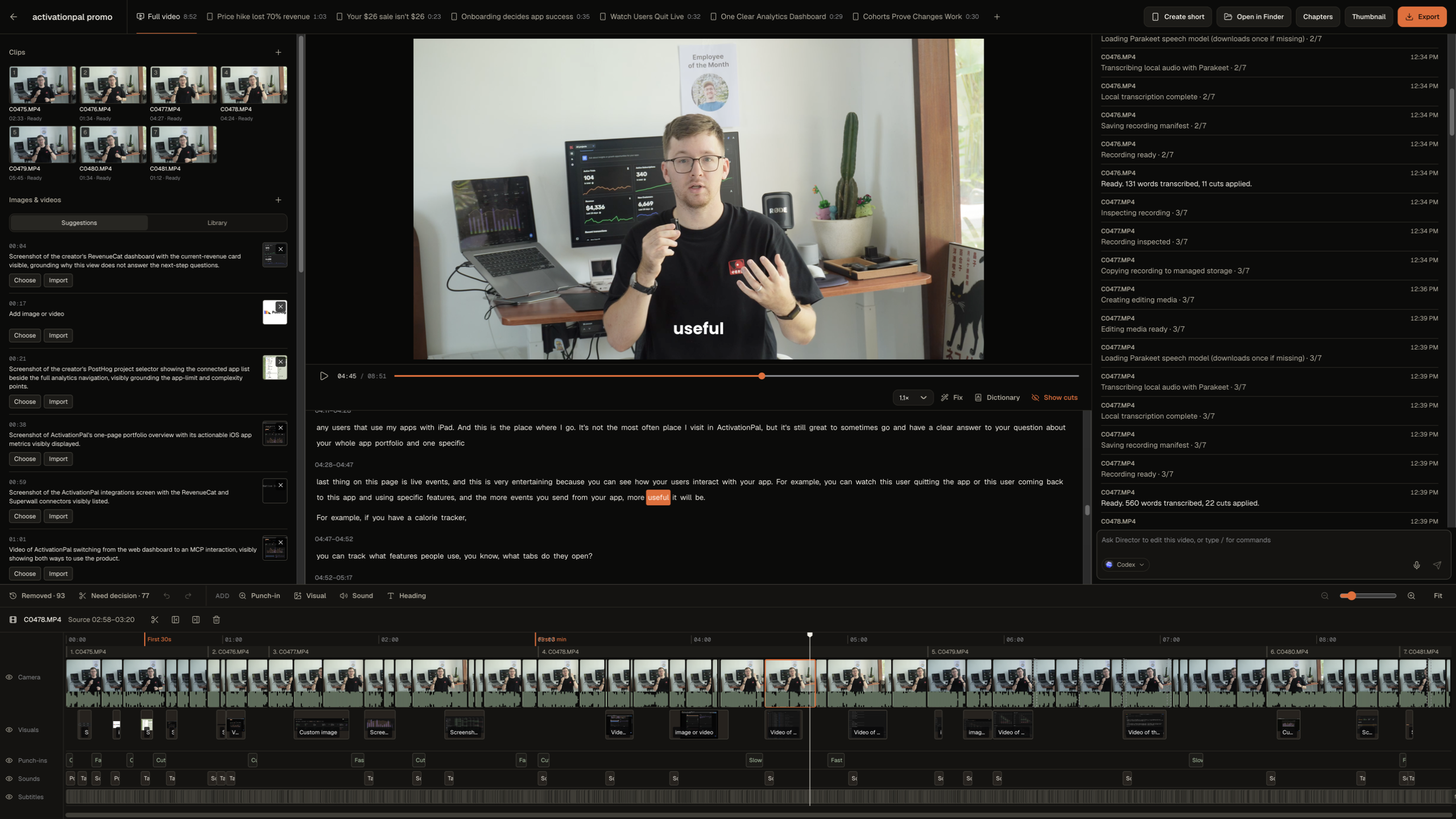
The ClipsPal editor: media, preview, transcript, Director and a multi-track timeline

Drag and trim, or ask Director.

The edit opens in a multi-track timeline. Change any cut by hand or type a request to Director. Your footage stays on your Mac.

Director

No second subscription.

ClipsPal runs on the AI account you already have: Claude Code, Codex or OpenCode, or a free local model. Only the transcript is sent to the AI.

  • Claude Code
  • Codex
  • OpenCode
  • Local model

Get lifetime access.
Edit your videos in minutes.

$49once

Lifetime access. No subscription.

$49
$49$199

37 licenses left at $49. Then $99.

Up $50 every 50 licenses.

  • Lifetime access to ClipsPal, yours to keep
  • Updates forever
  • 2 Macs per license
  • macOS 14+ · Apple Silicon
  • Runs on Claude CodeCodexOpenCodeLocal model
Buy lifetime access

Pay securely throughStripe

Questions

AI and privacy

How does ClipsPal make YouTube Shorts?+

It transcribes your recording on your Mac and sends the transcript to the AI you picked. ClipsPal builds the edit on your Mac, and you turn the finished video into shorts. The video and audio are never uploaded.

Which AI do I need?+

One of four: Claude Code with a Claude Pro or Max plan, Codex with a ChatGPT plan, OpenCode with any provider you connect, or a free local model ClipsPal downloads for you. Nothing is billed per video.

Does my footage get uploaded?+

No. Video and audio stay on your Mac, and so does transcription. Only the transcript goes to the AI you picked. With the local model, nothing leaves your Mac.

Which languages does it understand?+

40 spoken languages, including English, Spanish, Hindi, Portuguese, French, German, Japanese, Chinese, Korean and Arabic.

Your Mac

Can I turn a YouTube video into Shorts from a link?+

No. ClipsPal works with video files on your Mac, not links. Drop in the recording, edit it, and turn the finished video into shorts. The YouTube video editor page covers the long video.

Is there an online YouTube Shorts maker?+

No. ClipsPal is a Mac app and there is no browser editor. Download ClipsPal for Mac to try it.

Can ClipsPal upload Shorts to YouTube for me?+

No. ClipsPal exports the video to your Mac and you upload it to YouTube yourself.

What Mac do I need?+

macOS 14 or later on Apple Silicon (M1 or newer). Intel Macs and Windows aren't supported.

What kind of videos is it for?+

Talking-head videos: YouTube, courses, founder updates, product walkthroughs. Anything you record in several takes.

How many Macs can I use?+

2. Move the license from Settings anytime.

Buying

Is the YouTube Shorts maker free?+

The download is free and the local AI model costs nothing to run. Editing needs a ClipsPal license, which is a one-time payment. See pricing, or pick an opening line from the free hook library.

Can I download it before buying?+

Yes. Download ClipsPal anytime; editing starts once you enter a license.

Is it a subscription?+

No. It’s a one-time payment for lifetime access to ClipsPal. Your version is yours to keep, with updates forever included.

Are future updates included?+

Yes. Your license includes updates forever.

You do the content.
ClipsPal does the rest.